Bank Reconciliation
Matching the bank statement to the ledger: bank feeds, cleared items, timing differences, and the controls that keep the match honest.


Evaluating Bank Account Reconciliation Software Free of Charge: A CFO's Guide
Why Reconciliation Matters

Maximizing the Advantages of Bank Statement Reconciliation Software for Finance Professionals
Finance leaders rarely grapple with explaining why reconciliation matters; their challenge lies in making it swift, consistent, and verifiable. Bank activity is high-volume, time-sensitive, and often complex—partial settlements, bundled fees, timing differences, and unclear remittance details. When the bank statement becomes the bottleneck, close timelines slip, cash visibility diminishes, and the team spends more time investigating than analyzing.

A Comprehensive Guide to Reconciling a Bank Account in QuickBooks Efficiently
Reconciliation is a high-leverage close activity that validates cash, confirms cutoffs, and identifies errors before they become reporting issues. For CFOs and controllers, the goal is to achieve speed without compromising control, which means standardized inputs, repeatable steps, and clear exception handling. This guide focuses on how to reconcile a bank account in QuickBooks efficiently, providing practical strategies that reduce cycle time while enhancing auditability.
Uncovering the Best Bank Reconciliation Software for Finance Teams
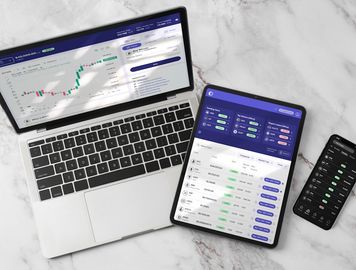
Finance leaders rarely find it difficult to define what bank reconciliation is; the more challenging part is executing it consistently, quickly, and with controls that withstand audit scrutiny. The best bank reconciliation software should diminish manual effort while enhancing evidence quality, exception management, and close predictability—without creating a “black box” that your team cannot decipher.

Navigating Free Bank Reconciliation Software: A Comprehensive Guide for CFOs
Understanding the Importance of Reconciliation

Mastering Automated Bank Reconciliation in Excel: A Comprehensive Guide for Financial Leaders
Bank reconciliation is more than just matching lines. It is a control activity that safeguards cash, confirms revenue and disbursement completeness, and prevents minor discrepancies from becoming significant errors. However, many finance teams still rely on manual tick-and-tie processes that can be slow, difficult to review, and fragile when transaction volumes increase or banking formats change. This usually results in longer closes, increased operational risk, and too much time spent validating what happened instead of analyzing why.

A CFO’s Guide to Bank Reconciliation Tools for Modern Finance Teams
Finance teams are under pressure to close faster, prove accuracy, and maintain strong controls—often with more payment channels and bank accounts than ever. The right bank reconciliation tools can turn reconciliation from a month-end surge into a controlled, auditable process that runs continuously. For CFOs, the goal isn’t just “matching transactions”; it’s improving cash visibility, reducing operational risk, and freeing capacity for analysis.

Bank Reconciliation in QuickBooks Desktop: Workflow, Controls, and Troubleshooting
Bank reconciliation is one of the few accounting controls that directly validates both cash existence and the integrity of transaction processing. For CFOs and finance leaders, bank reconciliation in QuickBooks Desktop is more than a month-end task—it’s a frontline defense against posting errors, duplicate entries, timing issues, and unauthorized activity. When performed consistently, it improves confidence in cash reporting, strengthens audit readiness, and reduces the risk of avoidable write-offs.
Your Next Close Is Already Counting Down
Every hour your team spends on manual reconciliations is an hour they're not doing higher-value work. Equility handles the matching, the checks, and the errors — so your close takes hours, not days.