Automated reconciliation that matches itself. Meet AutoRec.
AutoRec pairs your bank and QuickBooks Online transactions with configurable rules and AI that learns your ledger, then scores every match so you review only what actually needs you.
AI that learns your ledger
AutoRec mines your QuickBooks history to recognize your vendors, recurring charges, and coding patterns, so its matches reflect how your books actually work rather than a generic rulebook.
Confidence scores you can see the evidence for
Every match carries a confidence score built from the evidence behind it: how often you've matched similar transactions the same way, whether a vendor corroborates it, and how consistent your history is. High-confidence matches auto-approve, and the rest surface for a quick human look.
Configurable matching rules
Build exact, fuzzy, and many-to-many rules without code. Tune amount, date, and reference tolerances, set auto-approval thresholds, and version every rule with a full audit history.
Every exception, triaged
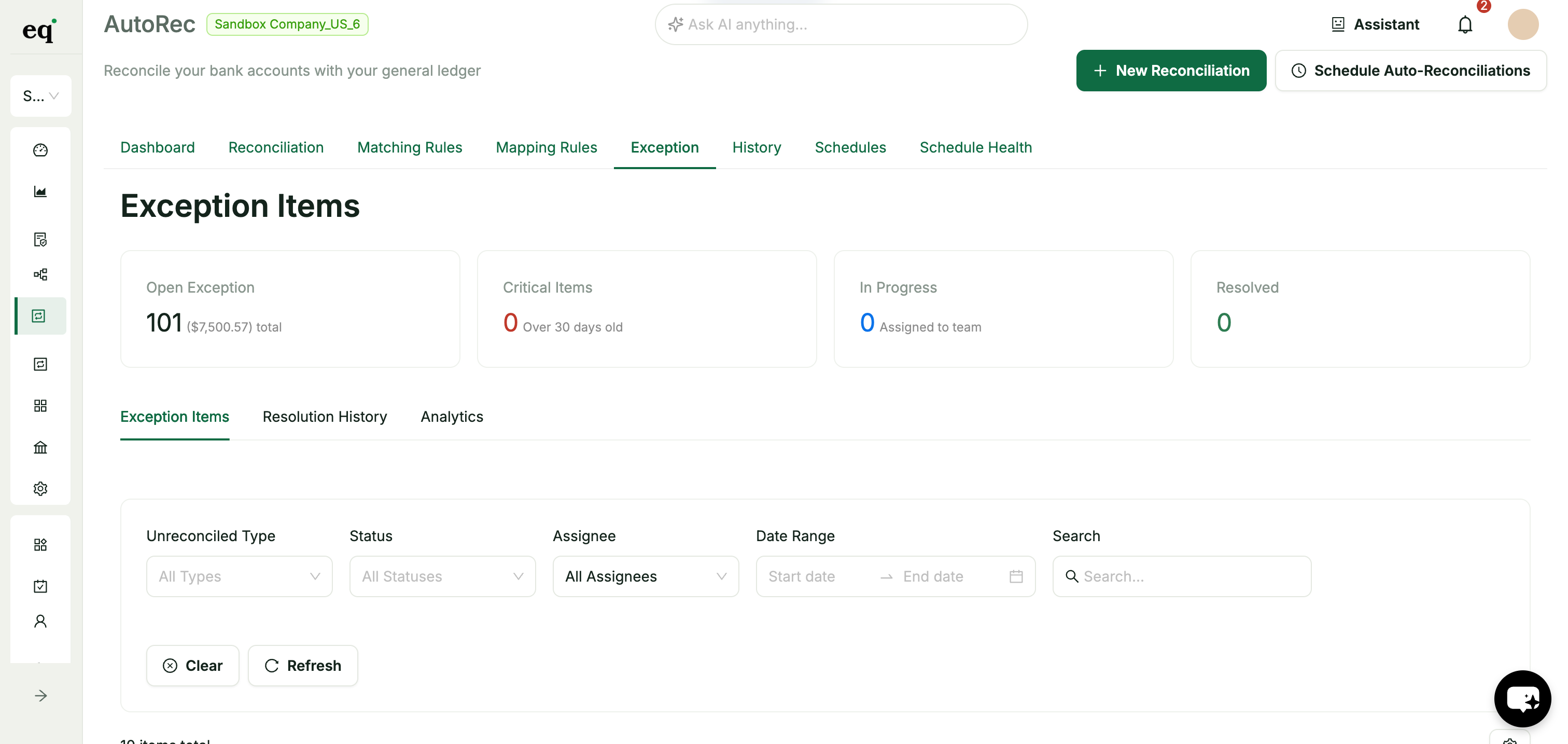
Unmatched, mismatched, and timing-difference items land in one triage view. Bulk-resolve, assign to a teammate, and leave a note, with every resolution logged for audit.
Scheduled auto-runs
Reconcile daily, weekly, or monthly on a schedule that respects your holiday calendar. AutoRec runs overnight, auto-approves confident matches, and emails your team the summary.
Every decision audited
Each match records the rule, confidence, approver, and timestamp. Each rule edit and exception resolution is versioned, so close is defensible and review is effortless.
How AutoRec works
From connection to a clean close in four steps
Connect QuickBooks & bank
Link QuickBooks Online and import bank data via Plaid or CSV upload
Set your rules & thresholds
Define matching rules and the confidence level that auto-approves a match
Rules + AI do the matching
Deterministic rules and AI pattern analysis pair transactions and score each match
Review only the exceptions
Triage the short exception list, assign what needs a teammate, and close
Connect QuickBooks & bank
Link QuickBooks Online and import bank data via Plaid or CSV upload
Set your rules & thresholds
Define matching rules and the confidence level that auto-approves a match
Rules + AI do the matching
Deterministic rules and AI pattern analysis pair transactions and score each match
Review only the exceptions
Triage the short exception list, assign what needs a teammate, and close
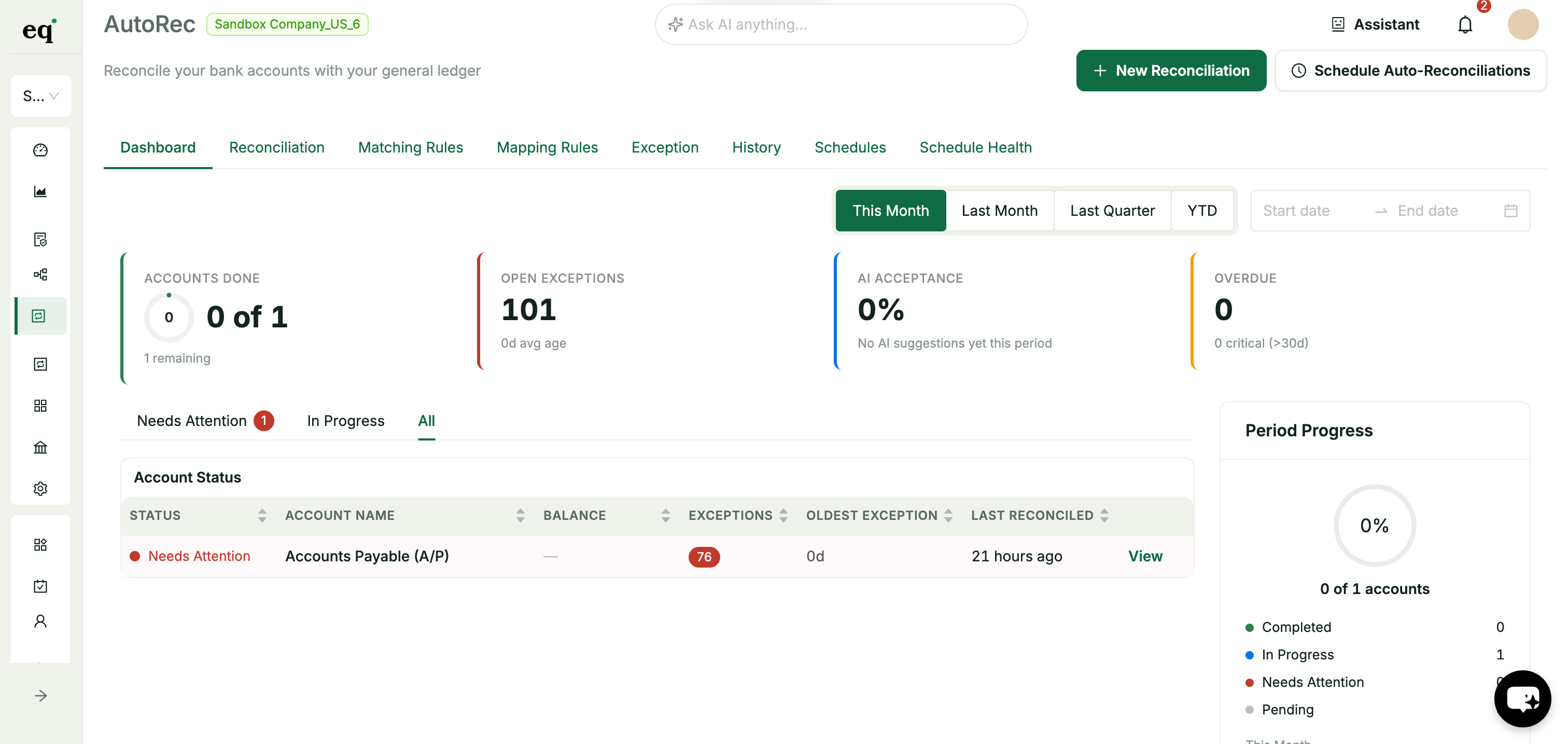
From hundreds of unmatched transactions to a short exceptions list
Watch AutoRec turn an unreconciled ledger into a handful of exceptions
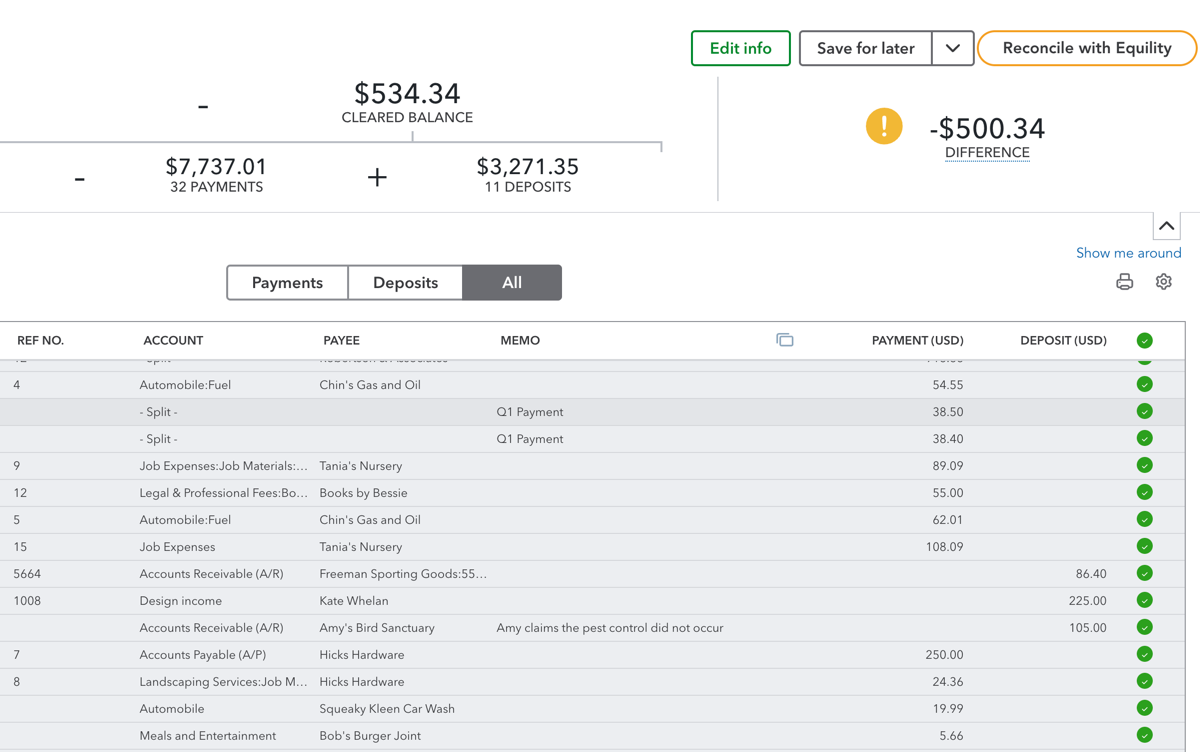
The manual grind
Hundreds of bank lines, hundreds of QuickBooks entries, and you matching them by hand, line by line, every single close.
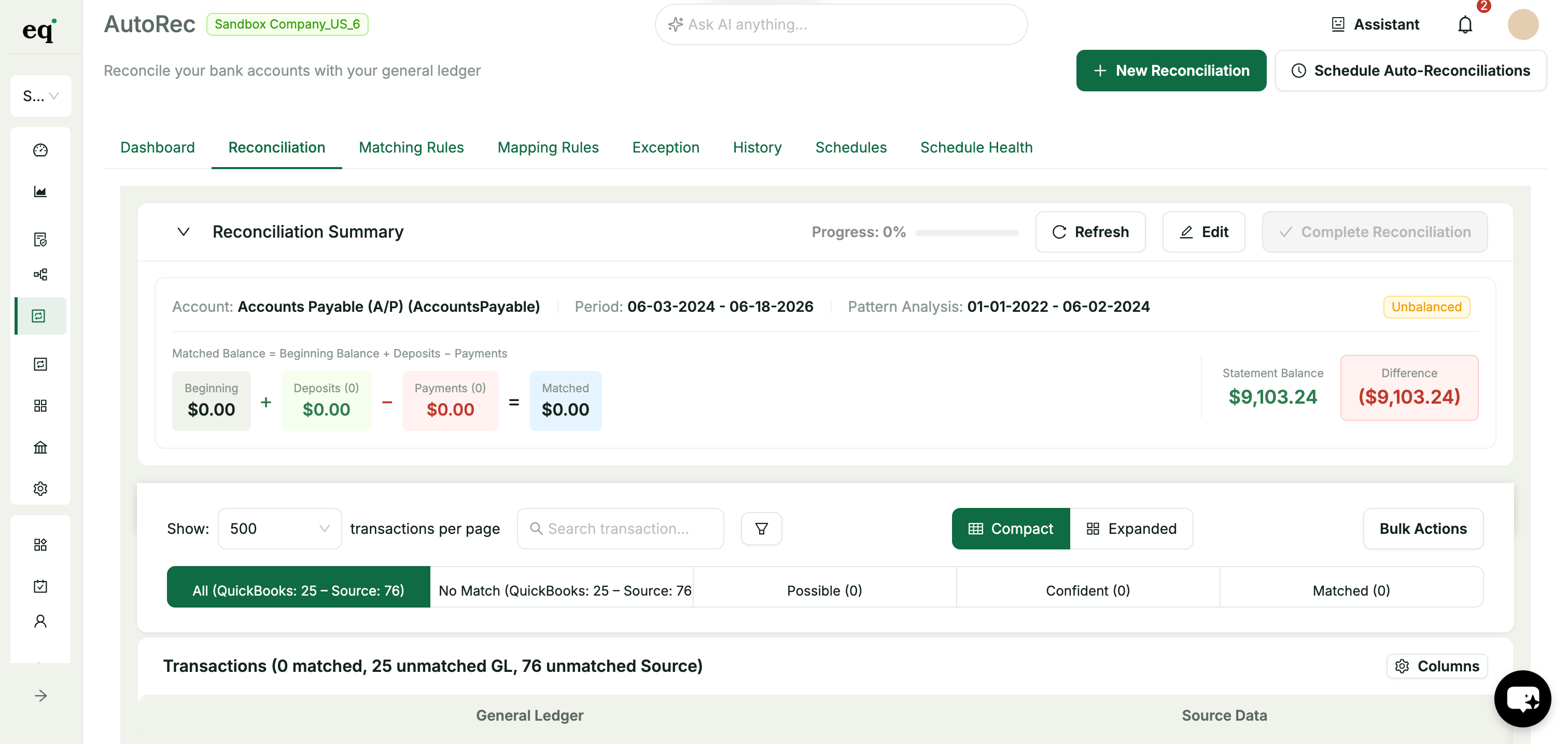
Rules + AI do the matching
Your rules catch the deterministic matches; AI pattern analysis handles the rest, scoring each one by how confident it really is.
Review only the exceptions
Skip everything that matched cleanly. Triage the short list of exceptions, assign what needs a teammate, and close.
"Tired of reconciliation eating the first week of every close, when most of it is the same matches you've cleared a dozen times before?"
Key benefits of automated reconciliation
Streamline your reconciliation workflow with AI-powered matching, configurable rules, and a complete audit trail:
Request a demo- A complete audit trail of every match, rule edit, and exception resolution, defensible at review and effortless at close
- AI pattern analysis trained on your own QuickBooks history, not a generic model
- Confidence scores built from the evidence behind each match, so you can see why one scored the way it did
- Exact, fuzzy, and many-to-many matching rules you can build and version without code
- Per-rule auto-approval thresholds so confident matches clear themselves
- An exception dashboard with bulk resolve, assignment, comments, and full resolution history
- Scheduled runs (daily, weekly, monthly) with holiday-calendar awareness and emailed summaries
- Bank data via Plaid or CSV upload, matched directly against QuickBooks Online
- Role-based access and real-time collaboration for the whole finance team
Reconciliation, automated
of lines auto-matched
faster bank reconciliation
saved every close
banks supported via Plaid
Pair it with Reclassify
AutoRec matches the transactions and manages your mapping rules; Reclassify is where you re-code GL accounts in bulk, by hand, across a whole month at once.
Just need the basics?
If straightforward date, amount, and reference matching is all you need, start with Bank Reconciliation and step up to AutoRec when you're ready.

Equility’s bank reconciliation wizard turned a messy, hour-long process of reconciling my business accounts into an automated, 5-minute solution.
Jeff Chadwick
Chadwick Creative
Where has this been all my life!
Lisa Culverwell
Miss Elsie’s BookkeepingIntegrates seamlessly with the tools you already rely on.
Integration with



Automated reconciliation: common questions
How is AutoRec different from basic bank reconciliation?
Basic reconciliation matches on date, amount, and reference. AutoRec adds AI pattern analysis that learns your ledger, evidence-backed confidence scoring on every match, configurable rules with auto-approval thresholds, an exception triage dashboard, and scheduled overnight runs. If you only need straightforward matching, start with Bank Reconciliation. AutoRec is the automated, AI-powered tier.
What does the confidence score actually mean?
Each match gets a score based on the strength of the evidence behind it: how many similar transactions you've matched the same way, whether a vendor corroborates it, and how consistent your history is. A higher score means stronger evidence, so you can auto-approve the strong matches and spend your time on the borderline ones. It's grounded in your own books, not a raw AI guess.
Can AutoRec approve matches automatically?
Yes. You set a confidence threshold per rule. Matches at or above that threshold can auto-approve, including on scheduled runs, while anything below it surfaces for human review. You stay in control of where the line sits.
What happens to transactions that don't match?
They land in the exception dashboard, categorized as unmatched, amount mismatch, or timing difference. From there you can manually pair them, bulk-resolve groups, assign items to a teammate with a note, and every resolution is logged for audit.
Can I schedule reconciliations to run on their own?
Yes. Schedule daily, weekly, or monthly runs that respect your company holiday calendar. AutoRec runs on schedule, auto-approves confident matches based on your thresholds, and emails a summary to the people you choose.
Does AutoRec work with QuickBooks Online and my bank?
AutoRec connects directly to QuickBooks Online and imports bank data through Plaid (12,000+ institutions) or CSV upload from any bank. Matching runs against your live QuickBooks transactions, with no manual export required.
What exactly does the audit trail capture?
Every match records the rule, confidence, approver, and timestamp. Every rule edit is versioned, and every exception keeps its full resolution history: who resolved it, how, and when. Your close is defensible and your audit prep is effortless.
Your Next Close Is Already Counting Down
Every hour your team spends on manual reconciliations is an hour they're not doing higher-value work. Equility handles the matching, the checks, and the errors — so your close takes hours, not days.