Review your financial statements with confidence
Create custom validation rules, automatically check Balance Sheet and Income Statement accuracy, and collaborate with your team using comments and @mentions—all in one streamlined workflow.
Custom Rules Engine
Build powerful validation rules using our intuitive formula editor. Create custom checks for Balance Sheet equations, Income Statement relationships, and any financial metrics specific to your business.
Balance Sheet & Income Statement
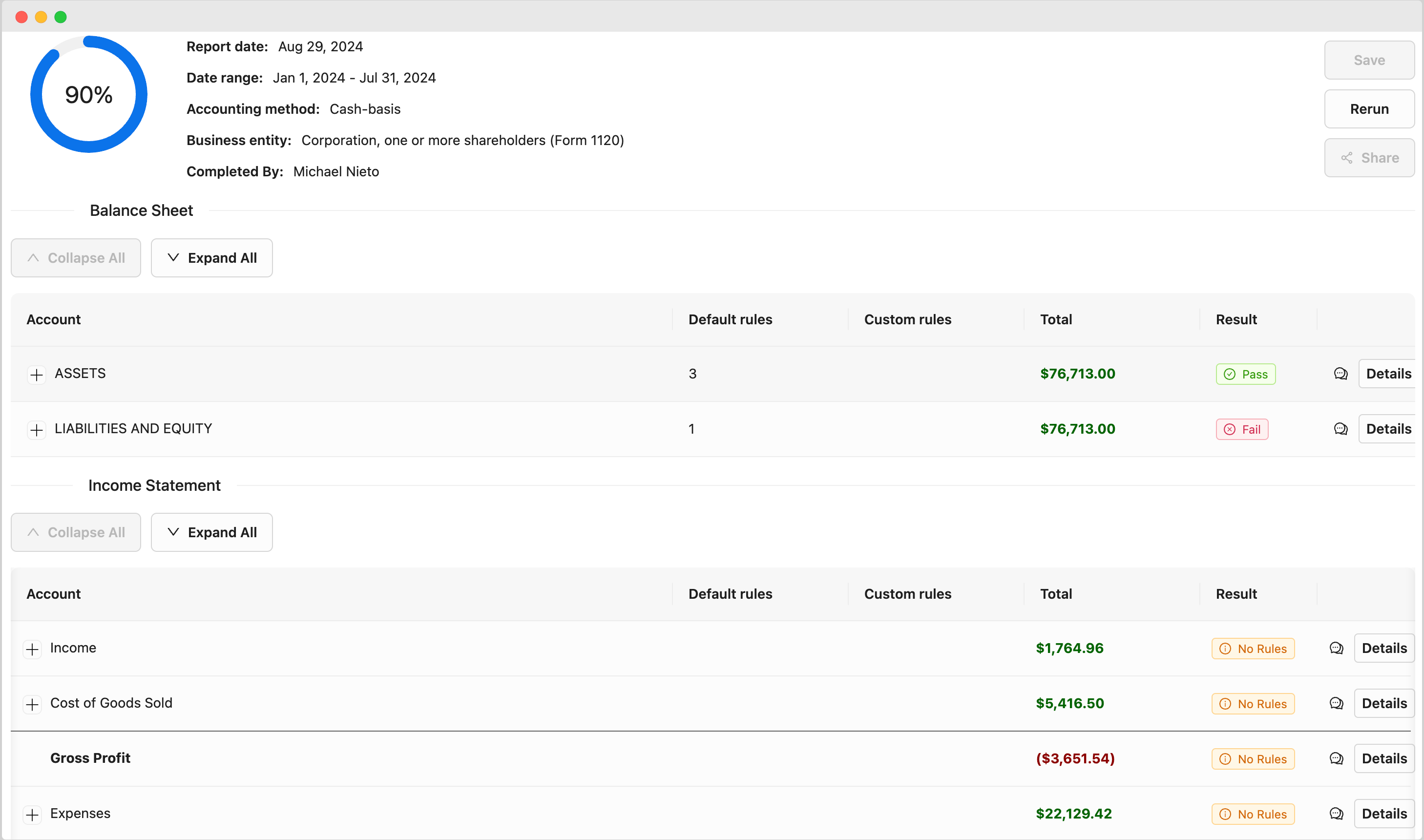
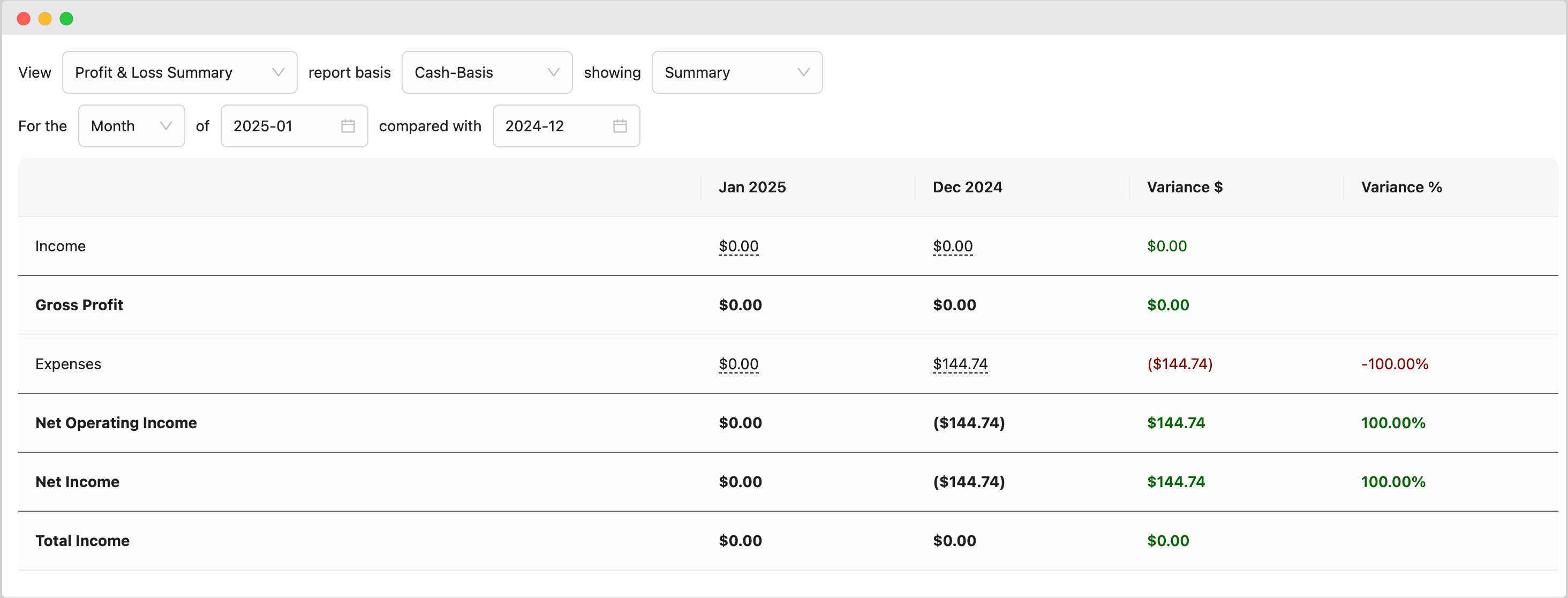
Pull real-time financial data directly from QuickBooks Online. Review Balance Sheet and Income Statement side-by-side with automated validation checks running in the background.
Pass/Fail Status Indicators
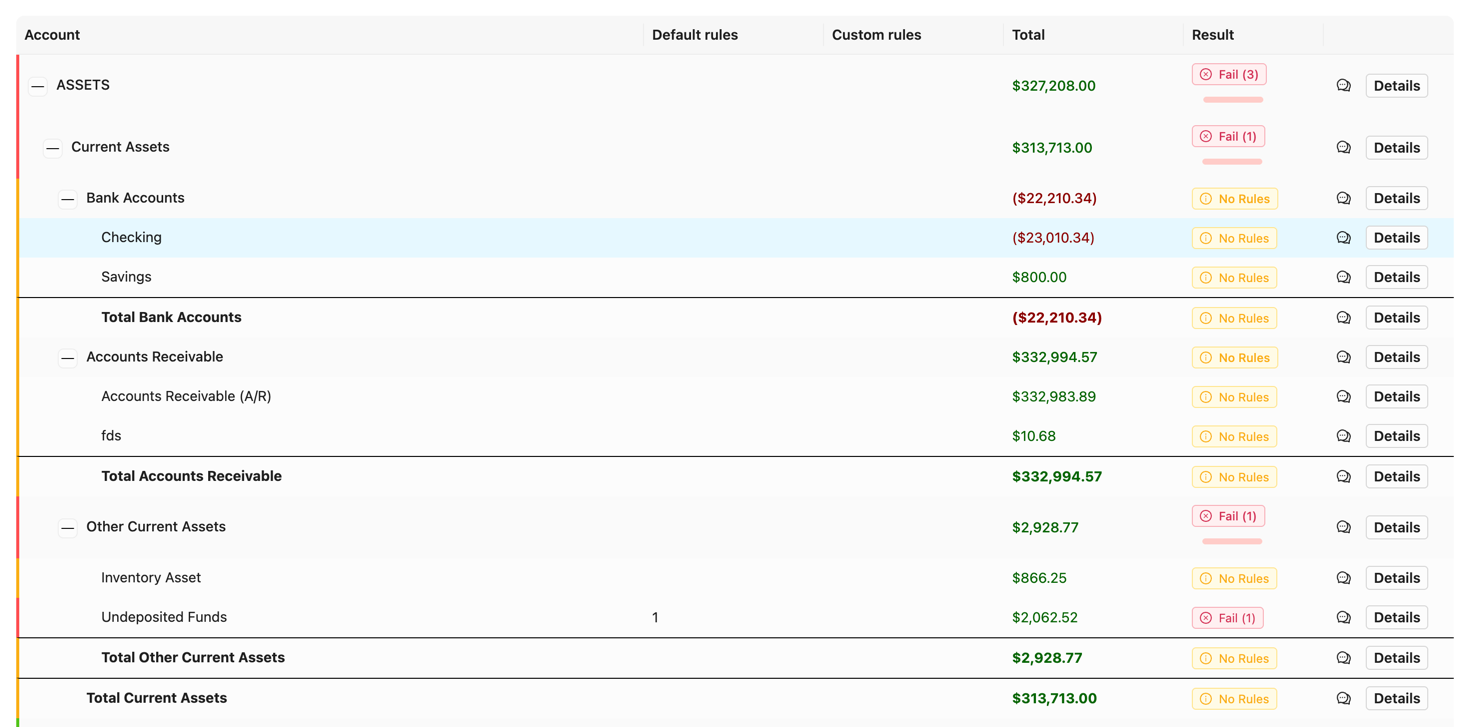
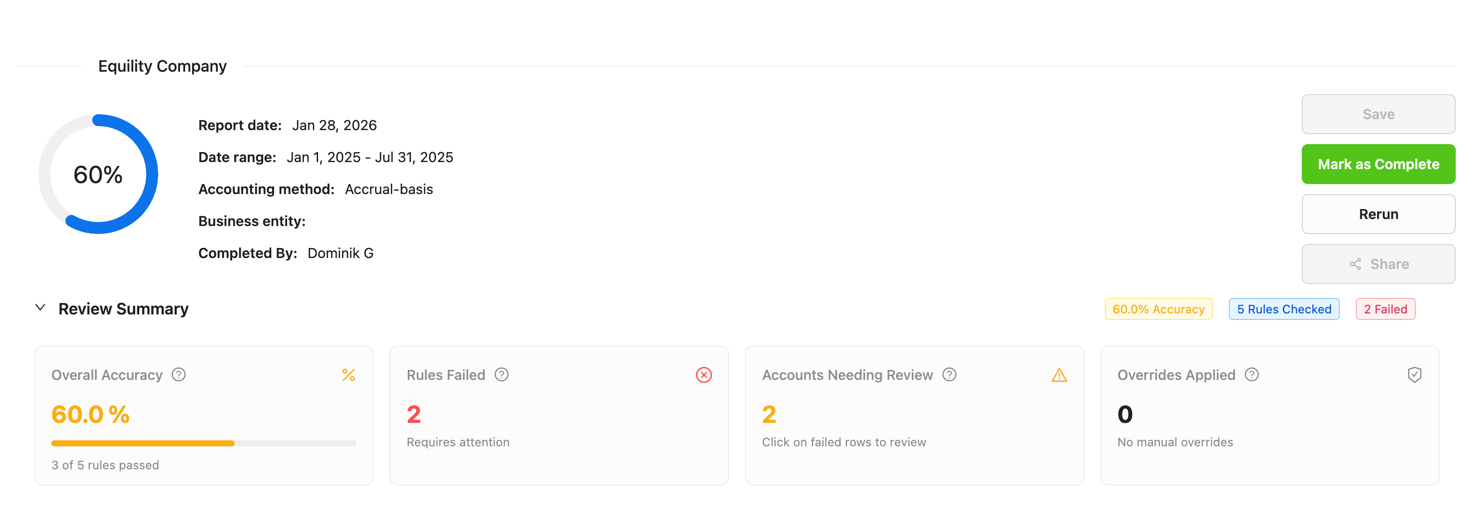
Instantly see which rules pass or fail with color-coded badges. Green for passing validations, red for failures—making it easy to spot issues at a glance.
Comments & Collaboration
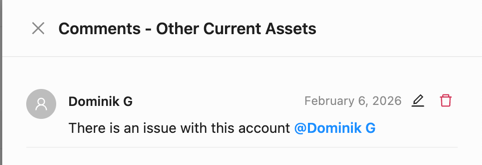
Add comments to any review item and @mention team members for follow-up. Maintain a complete audit trail of who reviewed what and when decisions were made.
How It Works
Streamline your financial statement review in four simple steps
Connect QuickBooks Online
Link your QuickBooks account to access Balance Sheet and Income Statement data
Configure Validation Rules
Create custom rules using the formula editor or use pre-built templates
Run the Review
Execute all rules automatically and see pass/fail results instantly
Collaborate & Resolve
Add comments, @mention team members, and resolve flagged items
Connect QuickBooks Online
Link your QuickBooks account to access Balance Sheet and Income Statement data
Configure Validation Rules
Create custom rules using the formula editor or use pre-built templates
Run the Review
Execute all rules automatically and see pass/fail results instantly
Collaborate & Resolve
Add comments, @mention team members, and resolve flagged items
See It In Action
Take an interactive tour of the Financial Review feature and see how easy it is to validate your financial statements.
See the transformation in action
Watch how your financial review process becomes automated and reliable
Set Up Your Review
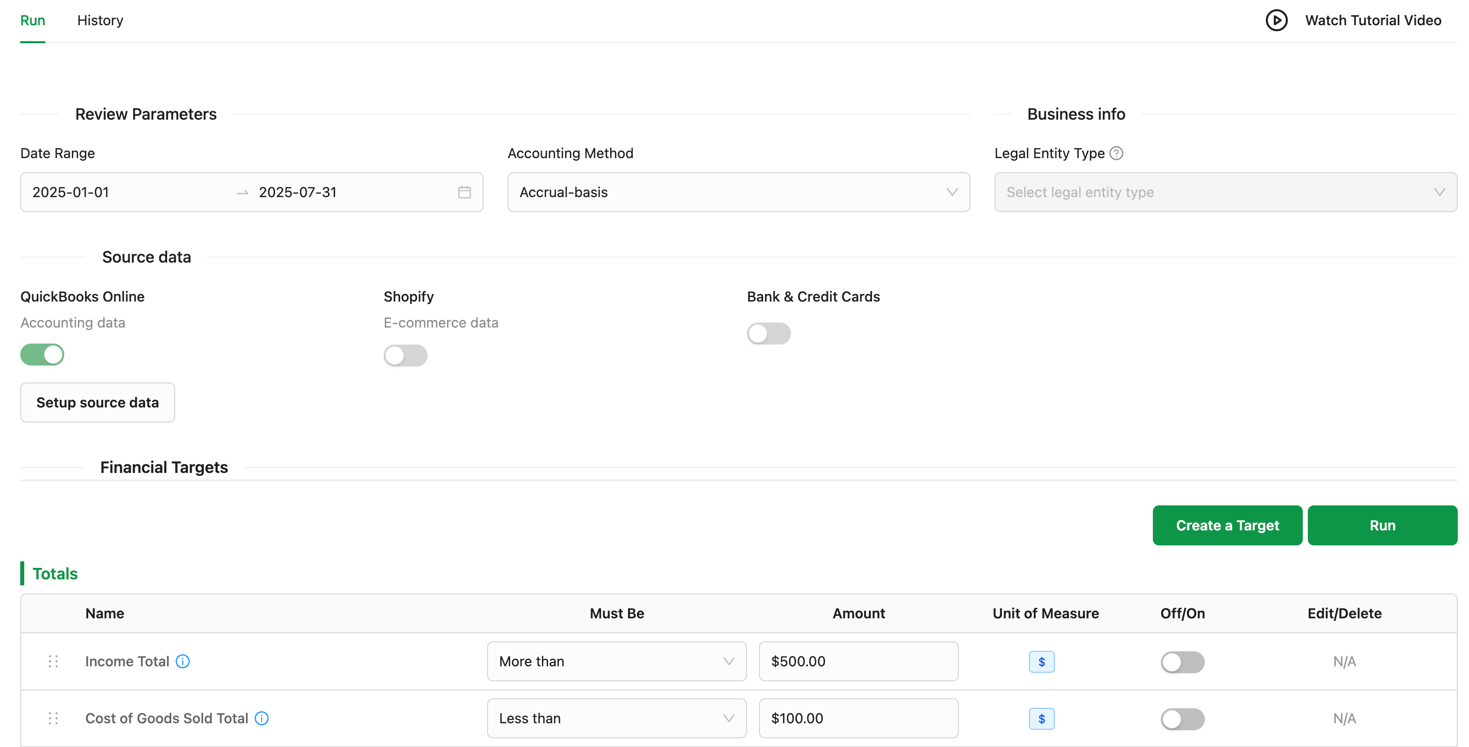
Select your date range, entity, and accounting method. Configure the review parameters that match your reporting requirements.
Automated Rule Execution
Watch as your custom rules automatically validate financial statements. Each rule executes in sequence, checking calculations, relationships, and thresholds.
Resolve Failed Items
Focus on items that need attention. Add comments explaining variances, @mention team members for clarification, and mark items as resolved.
Summary Dashboard & KPIs
View a comprehensive summary of your financial review. Track pass rates, identify recurring issues, and export reports for stakeholders.
"Tired of manual spreadsheet reviews, inconsistent validation checks, and no clear audit trail of who approved what?"
Key benefits of our financial review software
Transform your financial statement review process with these powerful capabilities:
Request a demo- Direct QuickBooks Online integration—pull Balance Sheet and Income Statement in real-time
- Custom rules engine with intuitive formula editor for any validation logic
- Pass/fail status indicators with color-coded badges for instant visibility
- Support for multiple accounting methods (cash vs accrual) and date ranges
- Threaded comments with @mentions for team collaboration
- Complete audit trail of all reviews, comments, and status changes
- Role-based access controls to manage who can review and approve
- Export review results and summaries for external stakeholders
- Historical review access to compare periods and track improvements
Sharper reviews, less effort
of review prep automated
faster monthly review
audit-ready trail
to a review-ready pack

Equility’s bank reconciliation wizard turned a messy, hour-long process of reconciling my business accounts into an automated, 5-minute solution.
Jeff Chadwick
Chadwick Creative
Where has this been all my life!
Lisa Culverwell
Miss Elsie’s BookkeepingIntegrates seamlessly with the tools you already rely on.
Integration with



FAQ
How do I create custom validation rules?
Use our intuitive formula editor to build rules. You can reference any line item from your Balance Sheet or Income Statement, use mathematical operators, and set thresholds. For example, create a rule that checks if Assets = Liabilities + Equity, or validate that Revenue Growth exceeds a minimum percentage.
What do the pass/fail status indicators mean?
Each rule displays a color-coded status: green indicates the validation passed, red means it failed. You can click on any status to see the calculation details, including the expected value, actual value, and variance. Failed items remain flagged until resolved.
Can I review different accounting periods?
Yes, you can select any date range for your review. Compare month-over-month, quarter-over-quarter, or year-over-year. The system pulls the appropriate financial data from QuickBooks Online based on your selected period and accounting method.
How do comments and @mentions work?
Add comments to any review item by clicking the comment icon. Type @ followed by a team member's name to mention them—they'll receive a notification. All comments are threaded and timestamped, creating a complete audit trail of discussions and decisions.
Can I export the review results?
Yes, you can export your financial review results in multiple formats. Generate PDF summaries for stakeholders, export detailed data to Excel for further analysis, or share a read-only link with external auditors. All exports include the validation results, comments, and approval status.
Does this sync with QuickBooks Online?
Yes, the financial review module integrates directly with QuickBooks Online. Your Balance Sheet and Income Statement data is pulled in real-time, ensuring you're always reviewing the most current financial information. Any changes made in QuickBooks are reflected immediately in your review.
Your Next Close Is Already Counting Down
Every hour your team spends on manual reconciliations is an hour they're not doing higher-value work. Equility handles the matching, the checks, and the errors — so your close takes hours, not days.