QuickBooks Bank Reconciliation Automation Software
Automatically match your QuickBooks general ledger against bank feeds on a schedule, achieve 95% auto-match accuracy, and get a short exceptions list—not a thousand-row spreadsheet.
Direct QuickBooks Online integration
OAuth connection to your QuickBooks Online account. One-time setup per client company. Syncs chart of accounts, general ledger transactions (up to 2 years from bank feeds, or any date range via CSV/PDF upload), and account balances.
Plaid bank account linking
Link your bank accounts securely via Plaid for real-time transaction feeds from 10,000+ financial institutions. No manual CSV uploads needed—automatic import handles the data flow.
CSV/PDF bank statement upload
If your bank isn't supported by Plaid or you prefer manual uploads, accept bank statements in CSV or PDF format. Our file converter parses common statement formats automatically.
Customizable matching rules
Define your own matching criteria: amount tolerances, vendor name patterns, date ranges, and description matching logic specific to each client. For example, set a rule like 'if vendor name contains Stripe and amount matches within $0.50, auto-match.'
How It Works
Streamline your QuickBooks reconciliation in four simple steps
Connect QuickBooks Online
Link your QuickBooks account and select the General Ledger account to reconcile
Set Reconciliation Parameters
Enter date range, beginning/ending balances, and matching tolerance
Import Bank Data
Link via Plaid or upload CSV bank statements as your source data
Review Matched Results
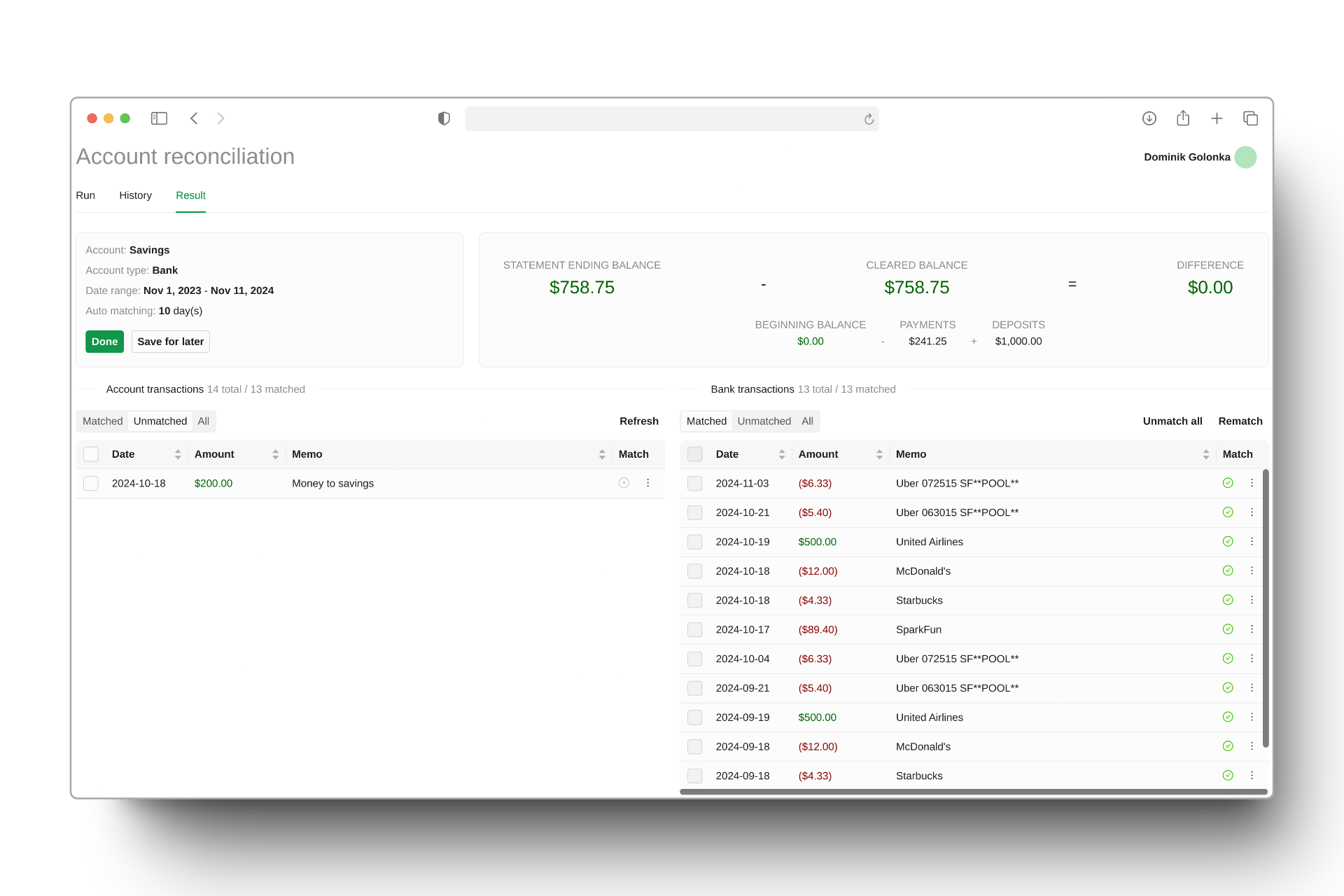
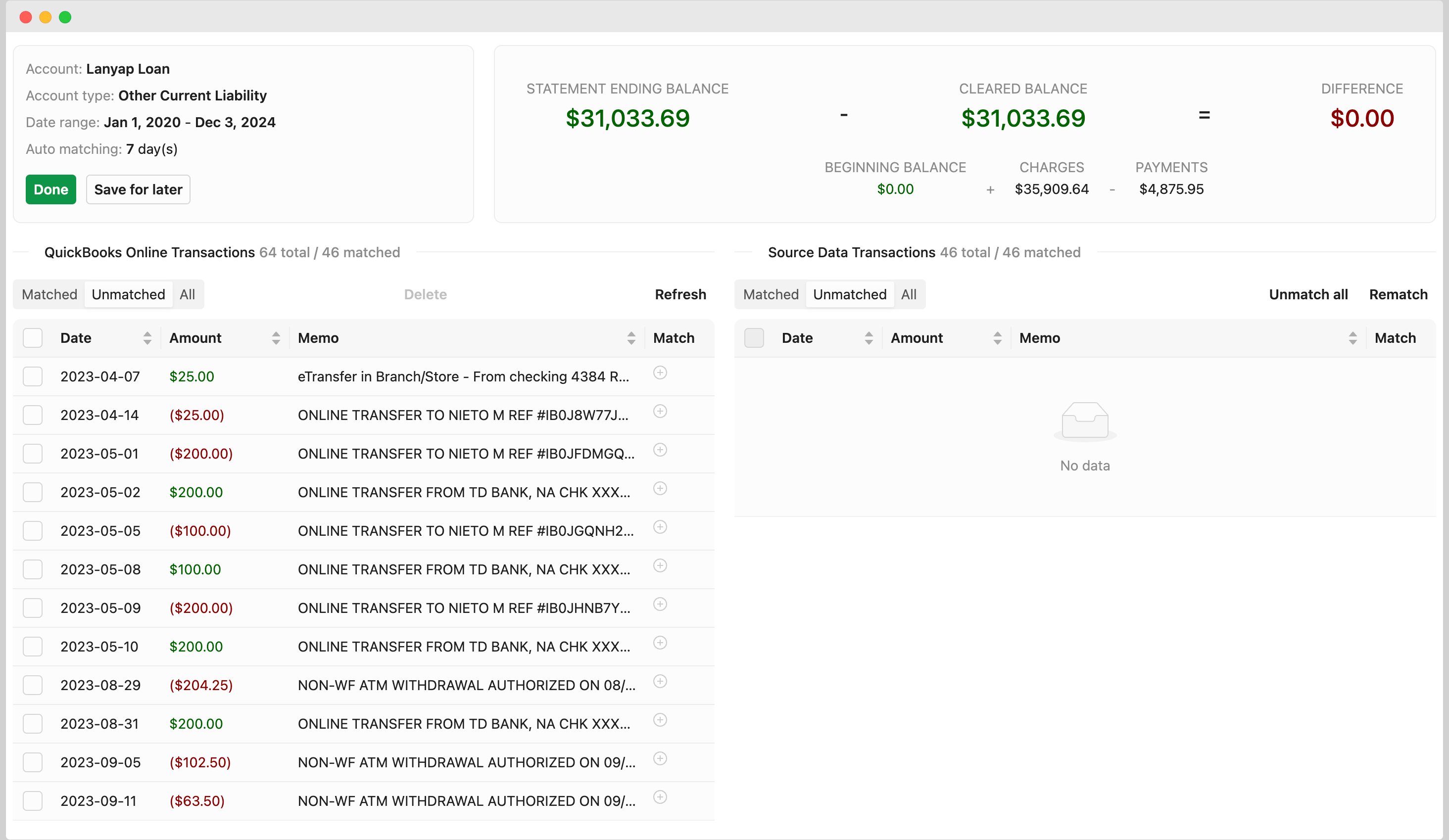
View side-by-side comparison of QuickBooks vs bank transactions
Connect QuickBooks Online
Link your QuickBooks account and select the General Ledger account to reconcile
Set Reconciliation Parameters
Enter date range, beginning/ending balances, and matching tolerance
Import Bank Data
Link via Plaid or upload CSV bank statements as your source data
Review Matched Results
View side-by-side comparison of QuickBooks vs bank transactions
See the transformation in action
Watch how chaos becomes clarity in seconds
The Manual Nightmare
Hours cross-referencing bank statements with QuickBooks, hunting for discrepancies, and manually matching transactions one by one. For 10+ clients, that's 2-3 hours per client per month.
Intelligent Auto-Matching
Runs reconciliation automatically on a schedule (daily, weekly, monthly, custom RRULE). Uses customizable matching rules to pair transactions based on date, amount, description, and payee.
Review & Approve
Match dashboard shows auto-matched (95% of transactions), possible matches (medium confidence), and exceptions (unmatched). Each match includes evidence: date match, amount match, description similarity, payee match.
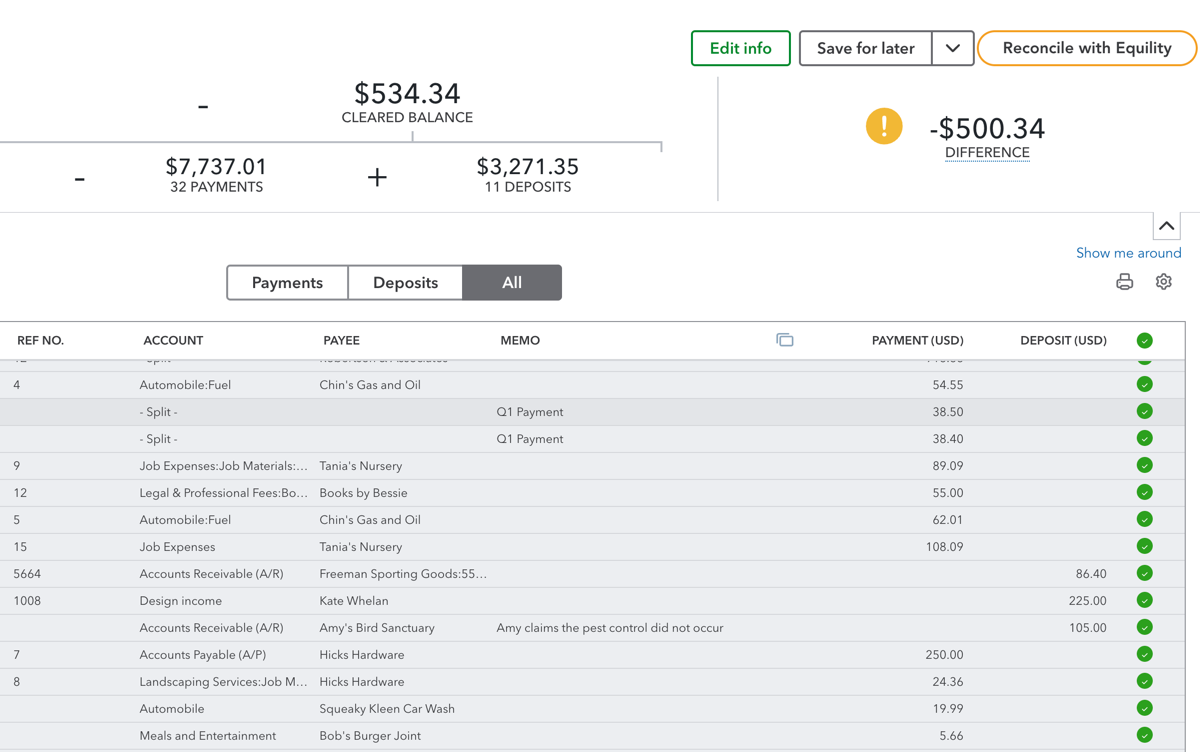
"You're an accountant or bookkeeper reconciling multiple client books. You bill for judgment calls (investigating exceptions, fixing errors), not for clicking 'Match' 800 times. If you run a practice with 10+ clients, you might spend 2-3 hours per client per month on bank reconciliation."
Key benefits of QuickBooks bank reconciliation automation
Equility gets the obvious matches out of your way so you can focus on the 20-50 items that actually need your attention:
Request a demo- Achieves 95% auto-match accuracy using customizable matching rules
- Cuts reconciliation time from 2-3 hours to under 5 minutes per client
- Direct QuickBooks Online integration—sync up to 2 years of GL transactions
- Plaid integration (10,000+ banks) or CSV/PDF upload for any financial institution
- Scheduled reconciliation (daily, weekly, monthly, custom RRULE) with email notifications
- Exception dashboard categorizes unmatched items: missing bank transactions, missing GL entries, mismatched amounts, duplicate candidates
- Create journal entries, deposits, or expenses directly in QuickBooks from the exception dashboard
- Match evidence shown for every pairing: date match, amount match, description similarity, payee match
- Side-by-side view of bank and GL transactions for easy comparison
- View reconciliation history and access past results anytime
- $15/month per QuickBooks company, 14-day free trial (no credit card required)
Reconciliation, automated
of lines auto-matched
faster bank reconciliation
saved every close
banks & ledgers supported

Equility’s bank reconciliation wizard turned a messy, hour-long process of reconciling my business accounts into an automated, 5-minute solution.
Jeff Chadwick
Chadwick Creative
Where has this been all my life!
Lisa Culverwell
Miss Elsie’s BookkeepingIntegrates seamlessly with the tools you already rely on.
Integration with


FAQ
How long does the first reconciliation take?
First sync can pull up to 2 years of QuickBooks GL data from your bank feeds and match it against your QuickBooks records. For most companies (under 1,000 transactions), that's 2-5 minutes. Ongoing reconciliations are faster (1-2 minutes) because they're incremental.
Does Equility post transactions to QuickBooks automatically?
No. Equility flags exceptions and shows you the evidence, but it does not create journal entries or modify transactions in QuickBooks without your approval. You decide what to post. This is intentional: reconciliation is a control process. Auto-posting removes that control and can hide errors. From the exception dashboard, you can create journal entries, deposits, or expenses with one click when you've reviewed the evidence and decided what action to take.
Can I customize matching rules?
Yes. Equility's rules engine (part of AutoRec) lets you define your own matching criteria: amount tolerances, vendor name patterns, date ranges, and description matching logic specific to each client. For example, you can set a rule like 'if vendor name contains Stripe and amount matches within $0.50, auto-match.'
What if my bank isn't supported by Plaid?
Upload a CSV or PDF bank statement through Equility's file converter. The converter parses common bank statement formats automatically and maps them to reconciliation-ready data.
Can I reconcile multiple bank accounts for one company?
Yes. Link as many bank accounts as you need. Equility runs a separate reconciliation for each account and aggregates exceptions in one dashboard.
How is this different from manual QuickBooks reconciliation?
QuickBooks Online has a built-in reconciliation feature. It's one-at-a-time: you mark each transaction as cleared, then QuickBooks checks if the totals match. For 500 transactions, that's 500 clicks. Equility does the matching in bulk and gives you only the 20-50 items that need attention.
Your Next Close Is Already Counting Down
Every hour your team spends on manual reconciliations is an hour they're not doing higher-value work. Equility handles the matching, the checks, and the errors — so your close takes hours, not days.